
Apps
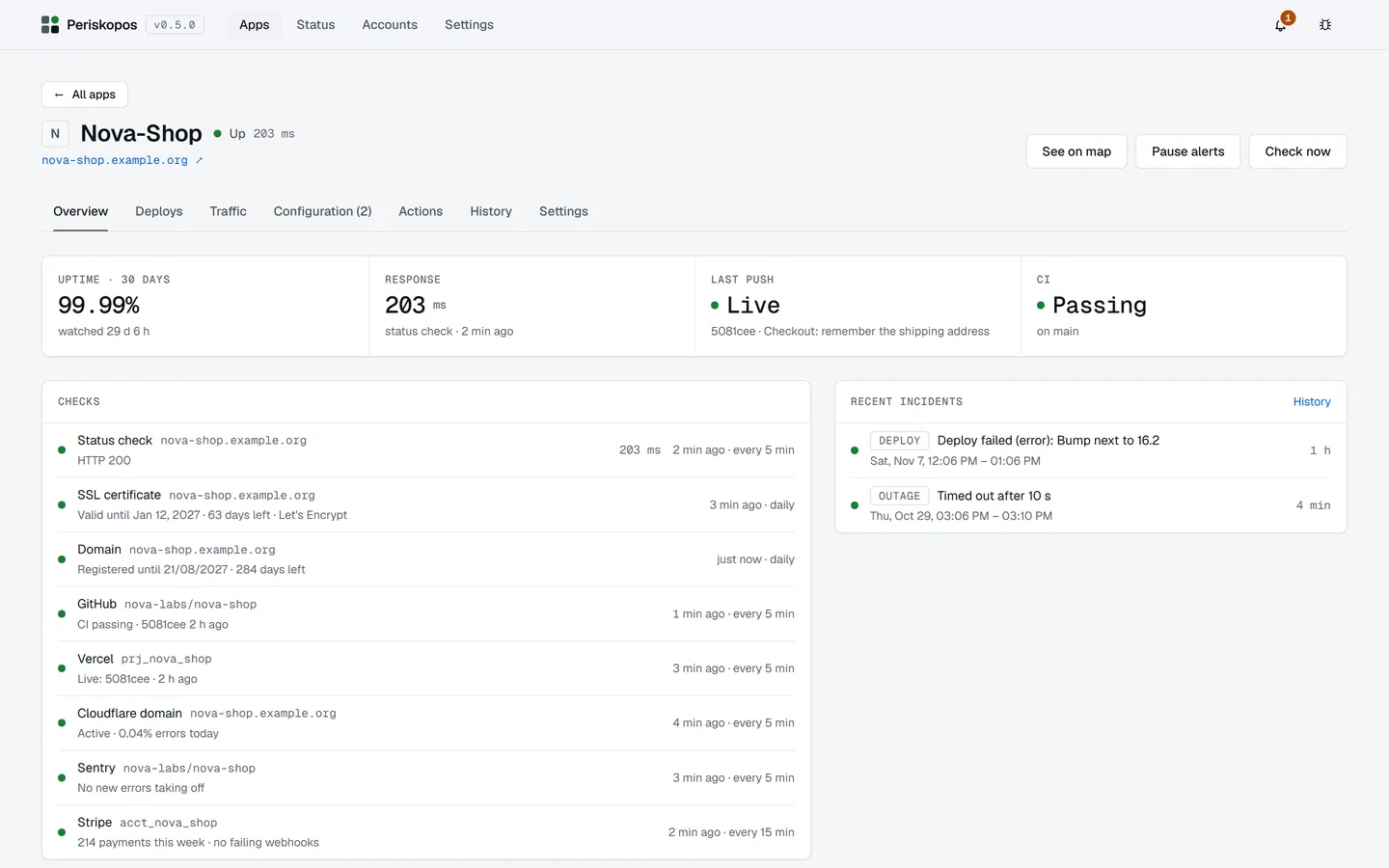
Apps, the first page, shows every app, problems first, as a list or as cards: the List / Cards switch is in its header and is remembered.
Getting more from an app
Section titled “Getting more from an app”An app’s Overview has a Get more from this app card listing what your
connected accounts could still add: its repository (commits, CI), its host
(deploys, is the last push live), its Cloudflare domain (traffic, visitors,
error alerts), its Supabase project. When one thing in the account is
plainly the app’s (the domain its address is on, a Worker serving that
address, a repo or service named like the app), Connect adds it in one
click. When a few are named like it (an acme and an acme.com
repository for acme.com), it lists them to pick from, the likeliest first,
and never picks for you. Otherwise Choose… opens the app’s Settings.
The card goes away once there’s nothing left to add.
An app connects each thing once: adding a repository, account or address it already has is refused, with a message saying so. The one exception is a repository that holds several apps: each set of folders is its own connection.
Apps that aren’t live yet
Section titled “Apps that aren’t live yet”An app can be registered before it launches. Untick Already live when adding it (or Live in production in its Settings): its site and certificate aren’t checked, so it never shows as down or alerts you, while its GitHub commits and CI and its domain keep being watched. Tick it at launch and checking starts at once.
Offline
Section titled “Offline”If your PC is offline, failed checks don’t count and that time is shown as not watched, so a dropped Wi-Fi doesn’t page you about every app. It counts as offline when neither github.com nor www.cloudflare.com answers.
What “up” means
Section titled “What “up” means”The status check counts any answer in the 200s as up. To catch a parked domain, an error page or an empty app shell, set Page must contain in the app’s Settings. If the answer comes from another host, the check says so. A 403 or 429 shows as Unknown, not Down: a firewall or rate limit may be refusing the check. After an hour of that, Needs attention says so and you get one notification, as it may be refusing your visitors too.
Uptime counts only time actually watched, from when the app was added and its
site first checked. A figure resting on under a week says so: 100% of 3 h.
No recent data
Section titled “No recent data”An app that was up when last checked, but whose check is now more than two rounds late, shows No recent data with the time of that check, and the page’s headline stops saying everything is normal. Periskopos only checks while it’s running, so you may see this for a moment after your PC wakes, until the next check comes in. A problem that’s already showing stays showing until a check clears it.
If background checks are off in Settings, or checks have stopped running while Periskopos is open, Needs attention says so, as a fault in the watching and not in your apps. When checks stop on their own you also get a notification, and another when they’re back. It also shows when notifications are off or an alert couldn’t be delivered, and when a CI, deploy or payments check has been unable to read for over an hour. Something you switched off yourself stays listed, but doesn’t add to the bell’s count.
Nothing on your PC can warn you while it’s off or asleep.